
September 10, 2025 • 4 min read

September 10, 2025 • 4 min read
Your YouTube banner is the digital storefront of your channel—the first impression that determines whether viewers subscribe or scroll away. According to YouTube's official guidelines, the ideal banner size is 2560 pixels wide by 1440 pixels tall, but creating effective channel art involves much more than just getting the dimensions right.
With over 2.7 billion monthly active users on YouTube, standing out from the crowd requires strategic design choices that reflect your brand identity while adhering to technical specifications. Whether you're a content creator, business owner, or marketing professional, mastering YouTube banner design is crucial for channel growth and audience engagement.
YouTube recommends uploading banner images with a 16:9 aspect ratio and a resolution of 2560 by 1440 pixels. For a clear display, the minimum acceptable resolution is 2048 by 1152. Here's a complete breakdown of YouTube banner specifications:
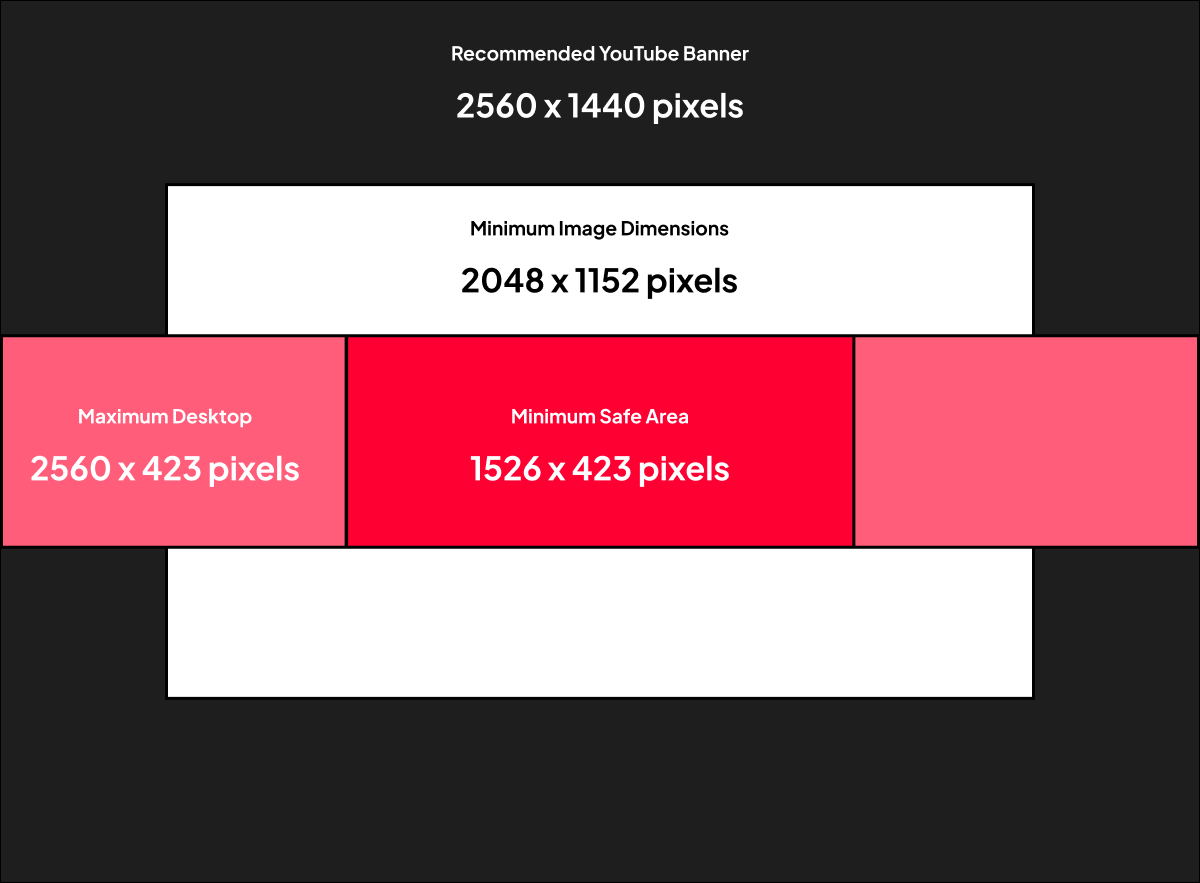
YouTube Banner Size Specifications
The safe area is particularly crucial because banners display on desktop, mobile, and for app users, but creators only need to upload one image file. YouTube's responsive interface can automatically adjust your banner image to optimize it for different screens.
Understanding how your banner appears across different devices ensures optimal visibility:
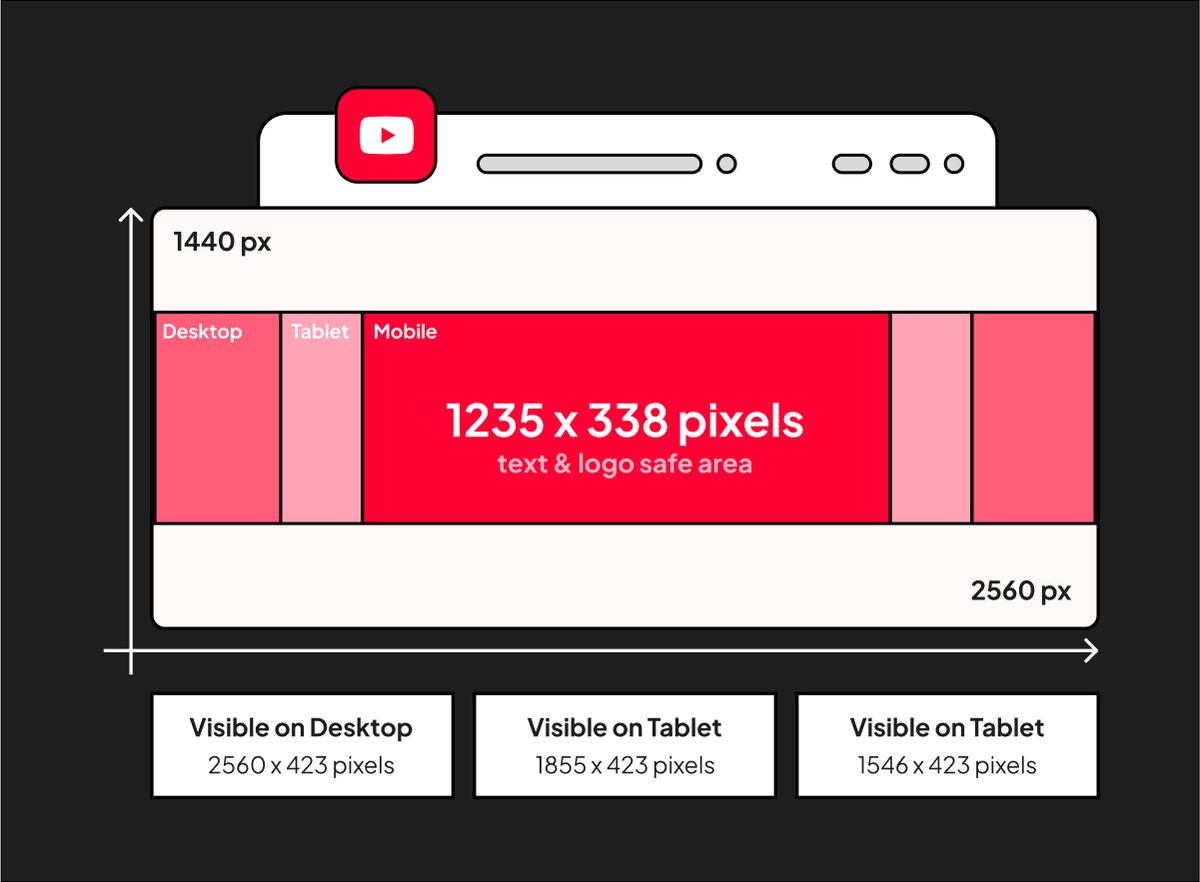
YouTube Banner Size across Different Devices
Learn more about social media image specifications for comprehensive platform guidelines.
Research shows that users form opinions about visual content within 50 milliseconds. Your YouTube banner must immediately communicate:
• Channel Purpose: What content do you create?
• Brand Personality: What's your unique voice and style?
• Value Proposition: Why should viewers subscribe?
• Professionalism: Are you a credible source?
Strategic color choices can significantly impact viewer perception and channel growth:
• Blue: Trust, reliability, professionalism (ideal for educational channels)
• Red: Energy, excitement, urgency (perfect for entertainment content)
• Green: Growth, harmony, health (suitable for wellness and finance channels)
• Purple: Creativity, luxury, mystery (great for artistic channels)
• Orange: Enthusiasm, creativity, fun (excellent for lifestyle content)
Research more about color theory in marketing to enhance your banner design.
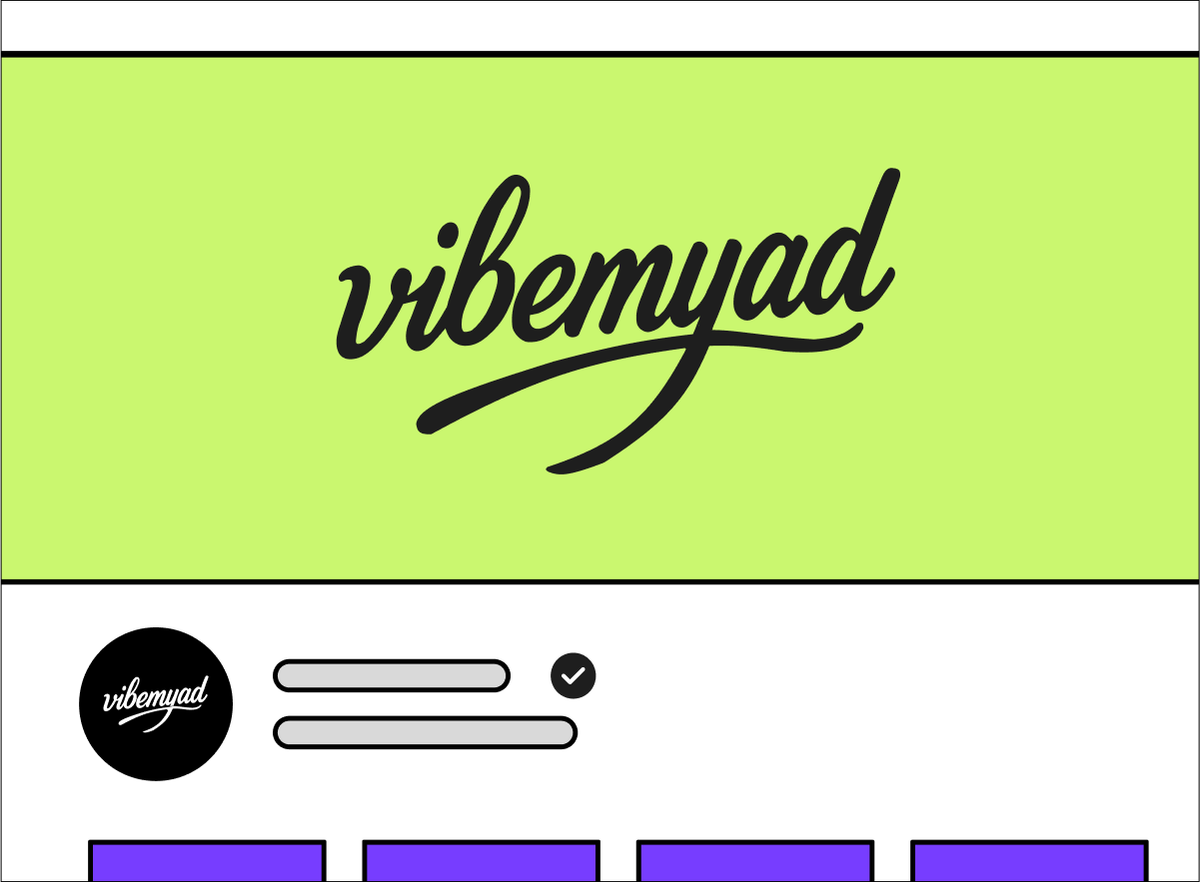
YouTube Banner (Using Color Psychology)
A banner should make the channel recognisable and explain what viewers can expect. Gather your logo, approved typefaces, product assets and a short statement of the channel's purpose before asking for designs.
Vibemyad Marketing Agency offers creative production for marketing campaigns. Discuss the channel assets and formats you need as part of the scope.
Use other channels as layout references, but do not infer subscriber growth from a banner's appearance. Review the design for clarity, cropping and consistency with the rest of your brand.
Uploading a YouTube video begins with selecting the right video format. Luckily, Youtube accepts almost all common video formats, such as:
• .MOV
• .MPEG4
• .MP4
• .AVI
• .WMV
• .MPEGPS
• .FLV
• 3GPP
• WebM
• DNxHR
• ProRes
• CineForm
It’s important to note that some video formats may not work on different players — some formats may only be compatible with a desktop player, some with just a mobile player, etc. The recommended YouTube video format is .MP4. This ensures high quality sound and image on the video as well as options for playback at varying qualities.
Preview your channel banner on the devices your audience uses. Keep the name and central message readable in each crop, then use the same visual identity across your thumbnails and other channel assets.
Get notified when new insights, case studies, and trends go live — no clutter, just creativity.
Table of Contents


Ananya Namdev
Content Writer, Vibemyad

Ananya Namdev
Content Writer, Vibemyad


Rahul Mondal
Product, Design and Co-founder, Vibemyad